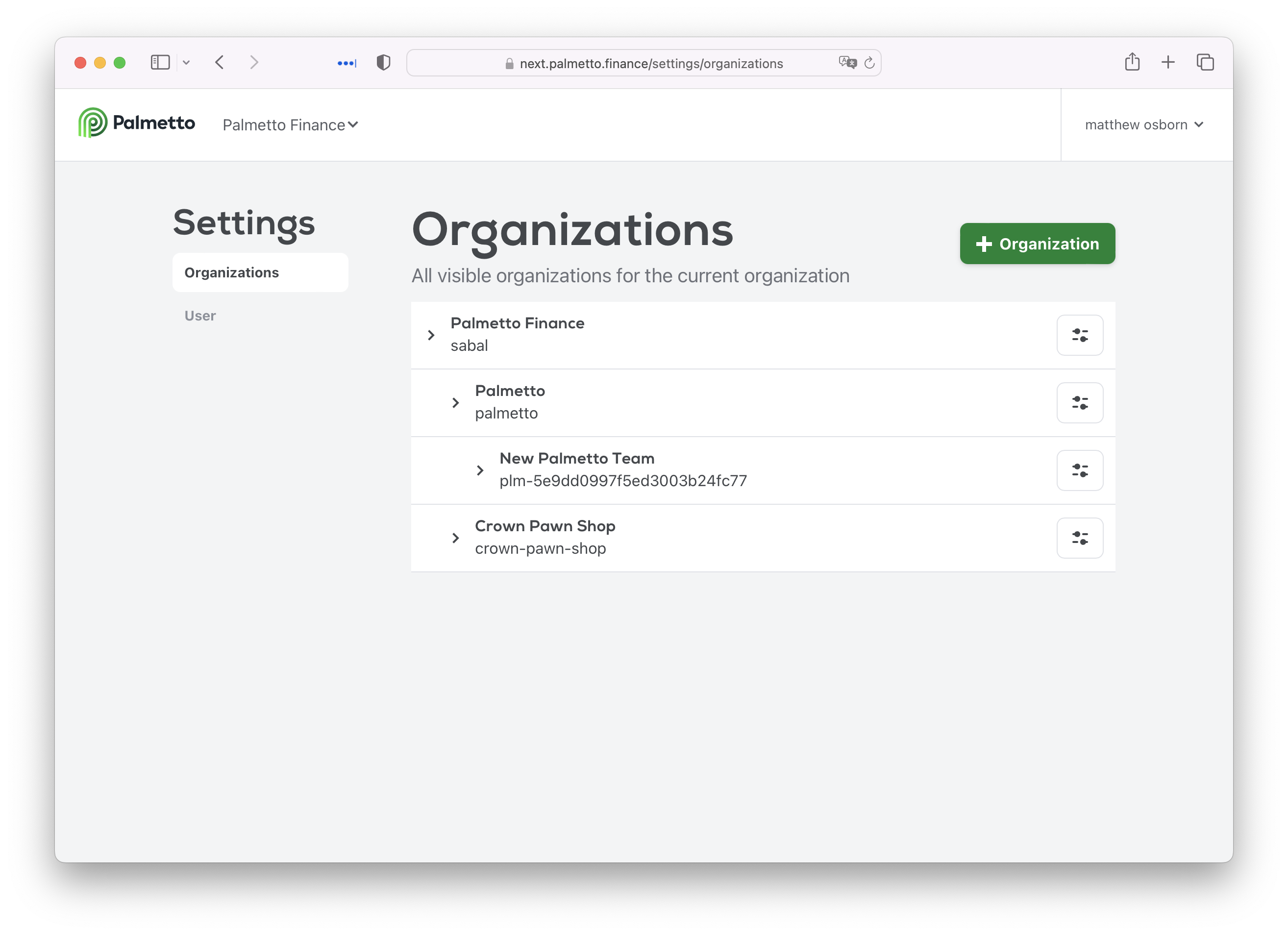
Organizations
Organizations provide logical grouping and isolation of resources. Every resource, either directly or indirectly, belongs to an organization. Organizations may have child organizations providing a hierarchical structure for resource access. In additional to the hierarchical structure organizations may be granted “one off” visibility, currently this is not self service, to another organizations. This is useful to grant temporary access for support purposes.
Organizations are referenced throughout the system via an alias that is specified at creation. The alias is a short human readable string that cannot be changed after the organization is created. Organizations also have a friendly name that is used for display purposes that may be changed at any time.
Impersonation
Section titled “Impersonation”Users, by default, “act in” the organization they belong to (known as their root organization), but they may impersonate a user in any of the organizations that are visible to their root organization. When impersonating the user will be presented with results as if their root organization was the impersonated organization.
Via the API
Section titled “Via the API”import fetch from 'node-fetch';
const url = `{envBaseUrl}/api/auth/login&org=${aliasOfOrganizationToImpersonate}`const response = await fetch(url, { method: 'post', body: JSON.stringify({ username: '', password: '' }), headers: {'Content-Type': 'application/json'}});const data = await response.json();console.log(data.access_token);For more information on obtaining access tokens see obtaining a token in the users guide or in the API documentation
In the portal
Section titled “In the portal”The finance portal displays the current organization context in the upper left corner. Opening the dropdown menu will allow a user to choose an organization to impersonate.
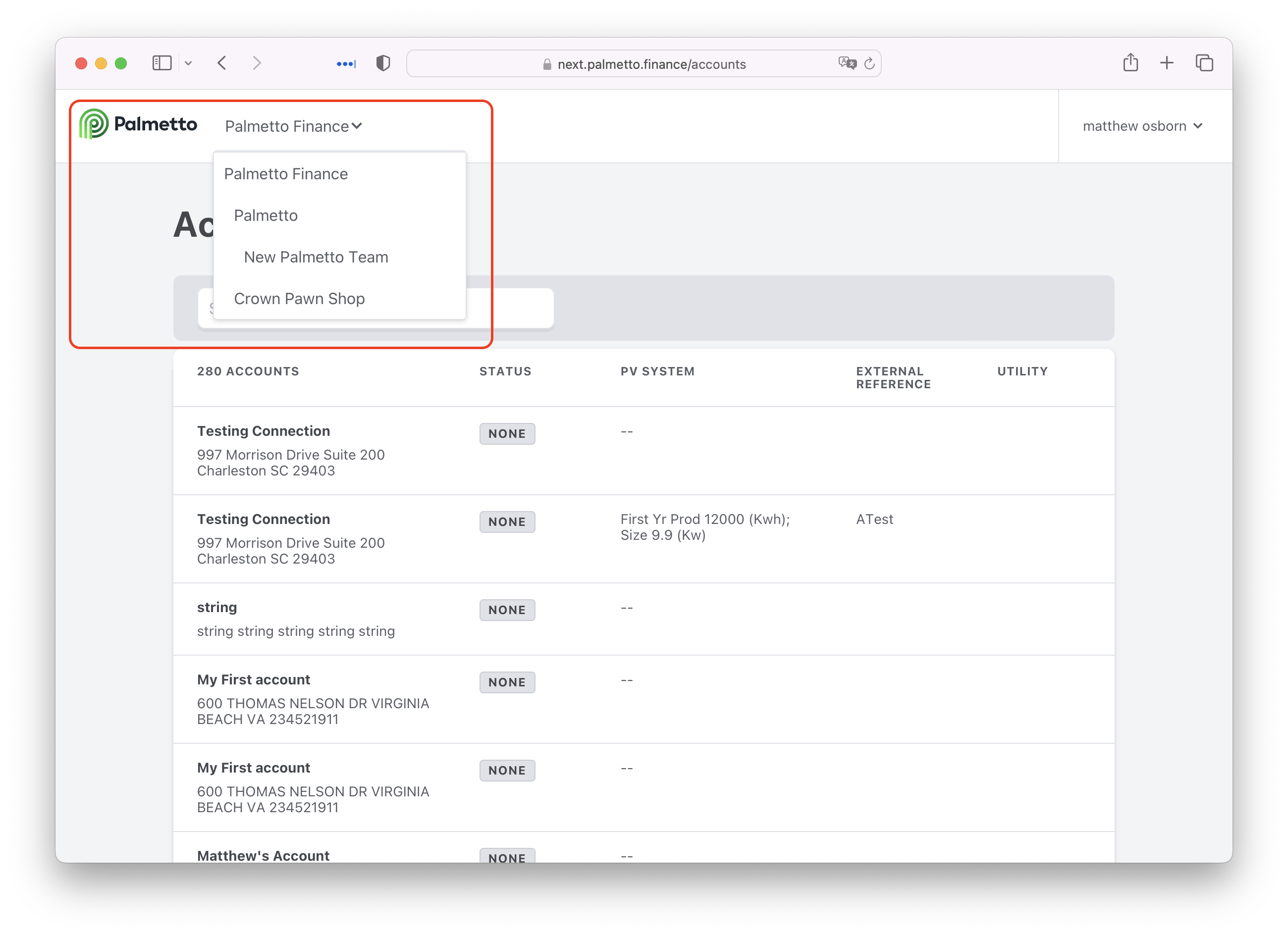
Managing organizations
Section titled “Managing organizations”Via the API
Section titled “Via the API”import fetch from 'node-fetch';
const url = `{envBaseUrl}/api/organizations`const response = await fetch(url, { method: 'post', body: JSON.stringify({ alias: "string", name: "string", parentAlias: "string" }), headers: {'Content-Type': 'application/json'}});const data = await response.json();console.log(data.access_token);for more information see the API documentation
In the portal
Section titled “In the portal”Organizational settings, as well as creation, may be viewed and edited through the settings section of the portal.